For FBA and FBM sellers
One Transparency code per unit, on every FBM order
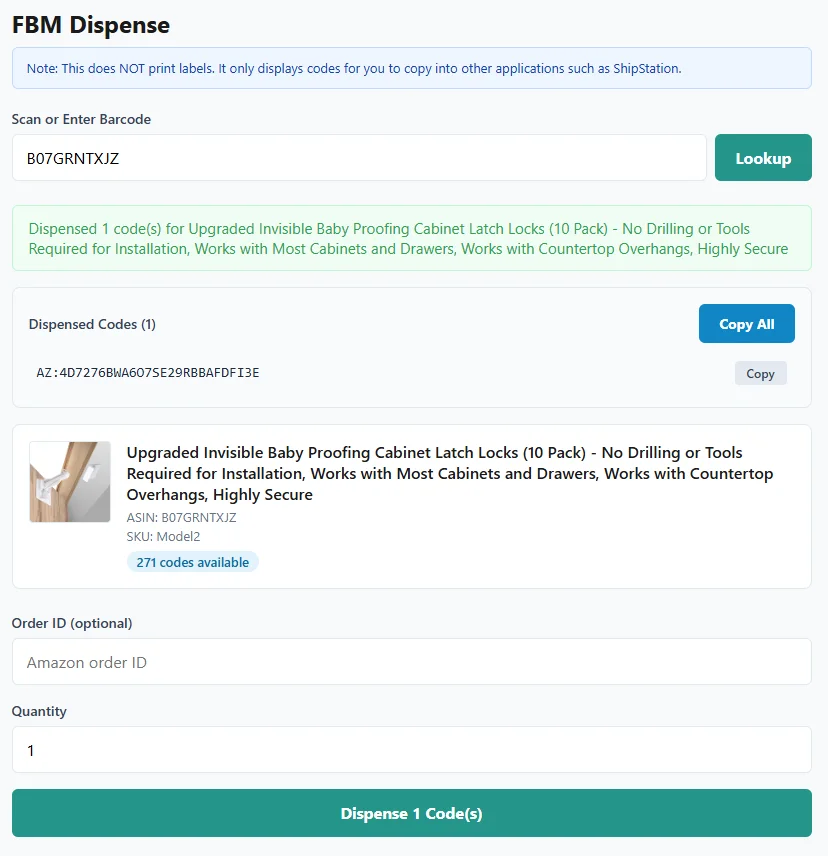
Scan the product, get the next unused code and paste it into ShipStation or Seller Central. T-Code Manager marks it used the moment it hands it to you and logs it with the order ID, so a code never goes out twice.
14-day free trial. No credit card required.
Founding customer offer: 50% off for life, plus a free setup call.
For our first 10 paying customers. Sign up with code FOUNDING50 and the discount is applied automatically. We will still schedule your setup call, where we import your code files with you.
FBM orders without the CSV hunt
Amazon wants a valid Transparency code for every unit you ship yourself, reported when you confirm shipment. Here is the whole job in T-Code Manager:
- Scan the product. ASIN, UPC, SKU and FNSKU all work.
- Enter the Amazon order ID and how many units are on the order.
- T-Code Manager hands you that many unused codes and marks them used on the spot, logged with the order ID.
- Copy one code, or copy them all one per line or comma separated, and paste them into ShipStation or Seller Central.
There's an option to strip the "AZ:" prefix for pasting into ShipStation. Every dispensed code is logged with the order ID you enter, so you can answer "which code went on that order?" in seconds.
Print FBA labels on scan
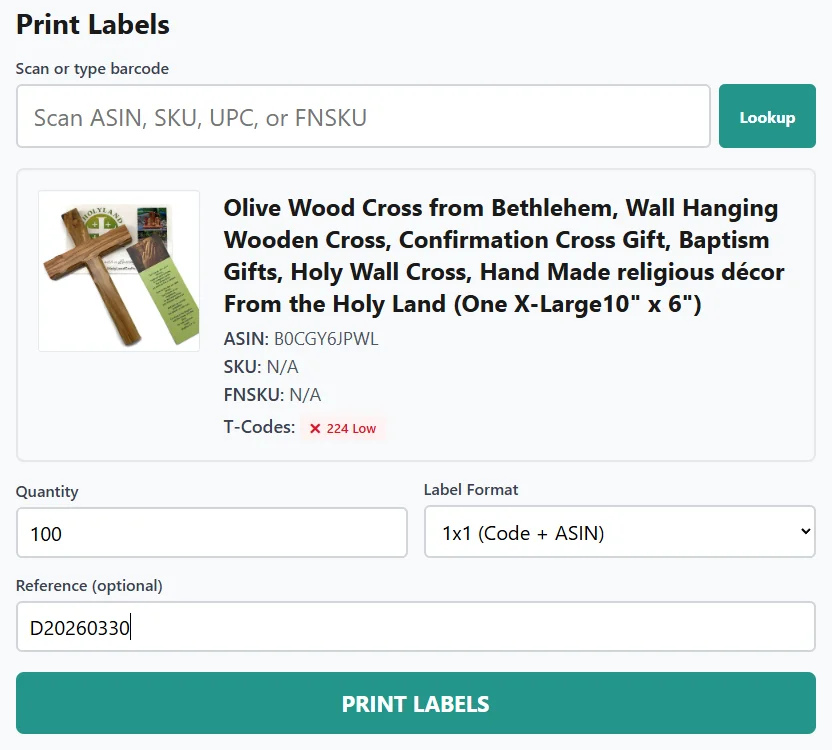
Your team scans a barcode, enters a quantity and prints. Choose 1" x 1" Transparency labels, or 1.25" x 2.25" Dymo and 2" x 1" labels that put the Transparency code and the FNSKU barcode on one label.
Codes are marked used only after the label file is created. If a print job fails, no codes are used up.
Know before you run out
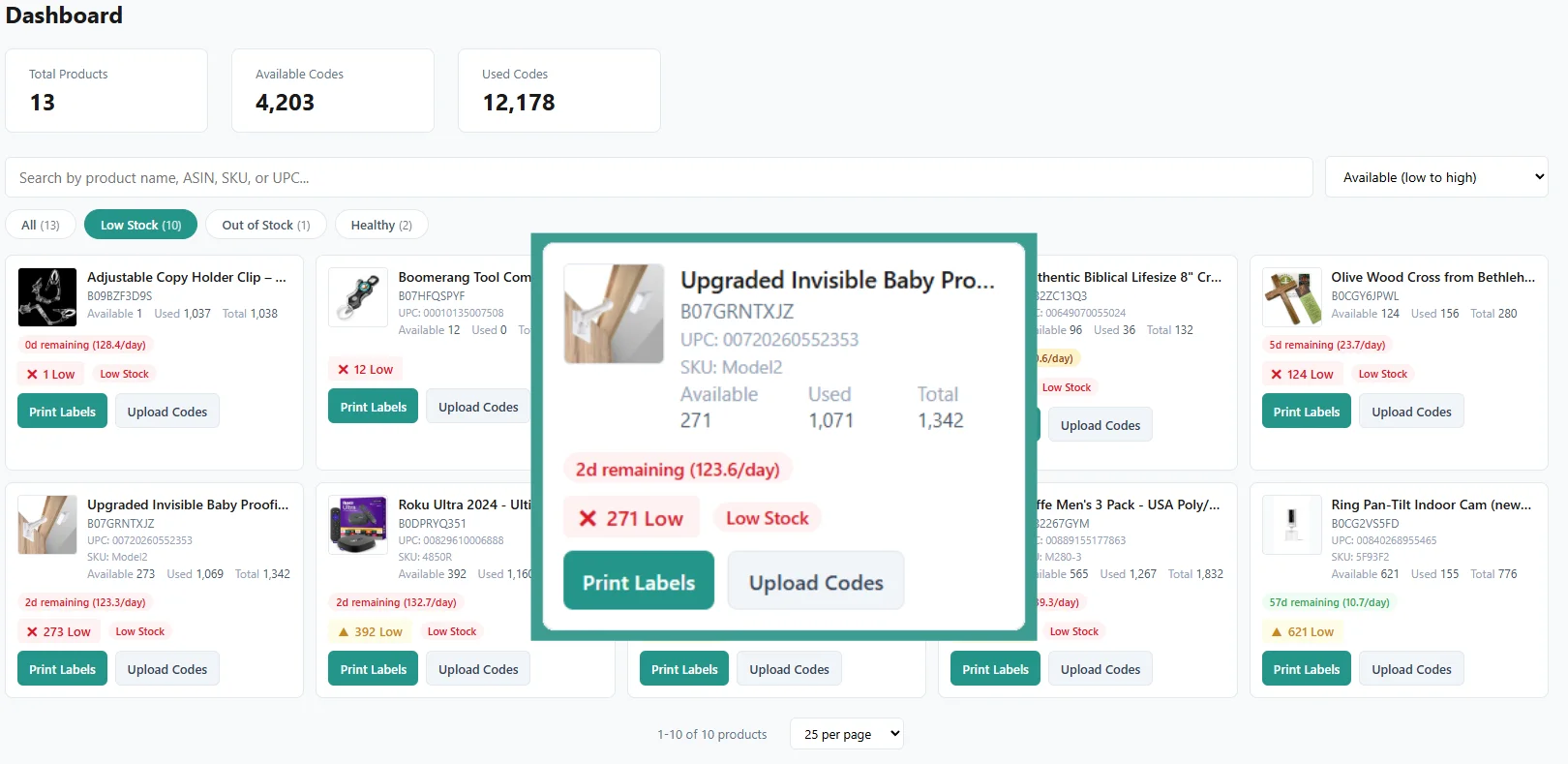
The dashboard shows how many codes every product has left, with low-stock and out-of-stock filters. Set a threshold per product and get an email before it runs dry.
On the Growth plan and up, forecasting estimates how many days of codes you have left, and you can pull new codes from Amazon's Transparency API instead of uploading files.
Every code accounted for
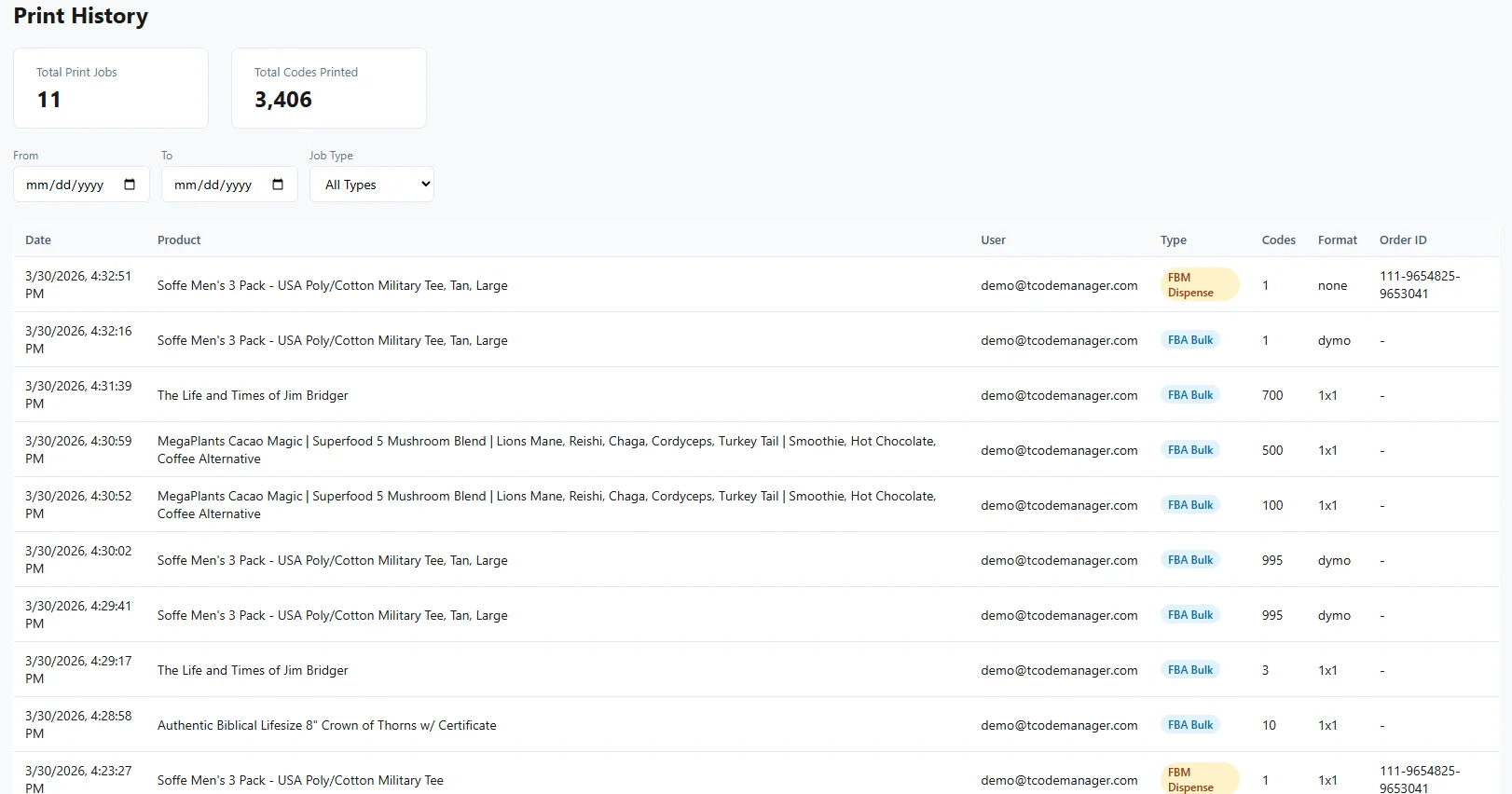
Every print job and every FBM dispense is in the history: who did it, when, for which product and which order or shipment. No more guessing which spreadsheet row is current.
Who it's for
- Brands and private label sellers labeling their own products for FBA
- FBM sellers who report a code for every unit on every order
- Authorized resellers and wholesalers holding codes from the brands they carry
Unlimited users on every plan, so your whole warehouse can scan and print without sharing a login. Plans start at $29/month. Compare plans.
Built by a seller, used every day
I built T-Code Manager for our own warehouse at Welch Products after years of CSV files and spreadsheets. It now manages 55,000+ Transparency codes across 454 products for us, every day. New to the program? Read what Transparency codes are or the FBM labeling guide.
Todd Welch, founder
Stop hunting for codes on FBM orders.
Start Free Trial14-day free trial. No credit card required.